
Homework
You are here
Assignments · projects · submissions
One Studybo Homework goal for every assignment, project, and submission. Prioritize due dates, run Pomodoro focus sprints, and catch up on overdue work — without losing track.

Math due Monday. Science lab report Wednesday. English essay Friday. Each teacher assigns independently — and suddenly you have five deadlines and no clear order.
A dedicated homework planner app puts every assignment in one place with due dates, priorities, and focus sessions — so nothing slips through the cracks.
Homework discipline means tackling assignments in priority order — hardest or earliest-due first — and keeping a daily homework routine before coaching or screen time.
Studybo schedules homework blocks with reminders, so you finish school assignments before evening coaching starts.
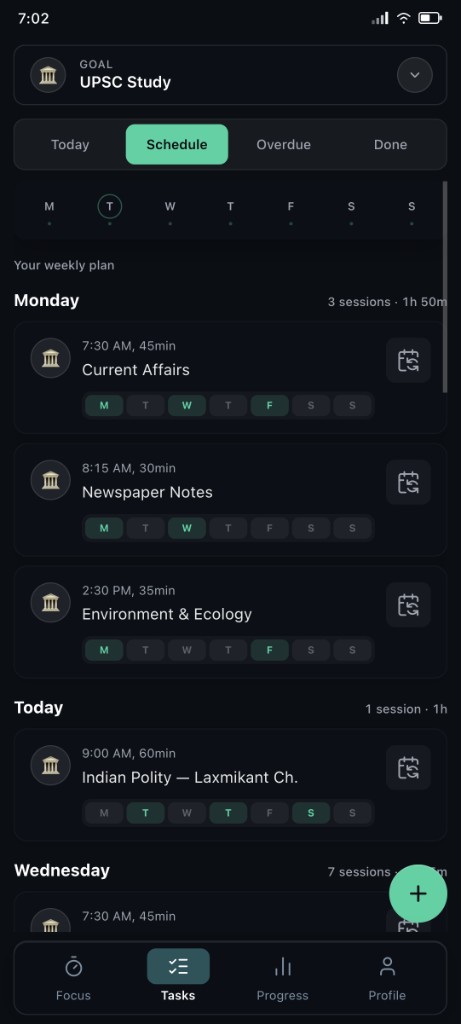
Math problem sets, Science lab reports, English essays, History projects — Studybo's Homework goal organizes every assignment inside one homework planner.
Add tasks per subject with estimated time and due dates. Homework stays separate from school classwork and coaching on the Crush your goals page.
One app, one Homework goal, every assignment and project deadline visible.
Essays, lab reports, group projects, and unit test revisions — each has a submission date. Studybo turns every deadline into a tracked task with reminders.
When you miss a due date, the task moves to Overdue so you catch up instead of forgetting. Mark done when submitted and watch your Done board grow.
Smart reminders nudge you before deadlines — so homework gets finished, not frantically copied the morning it is due.
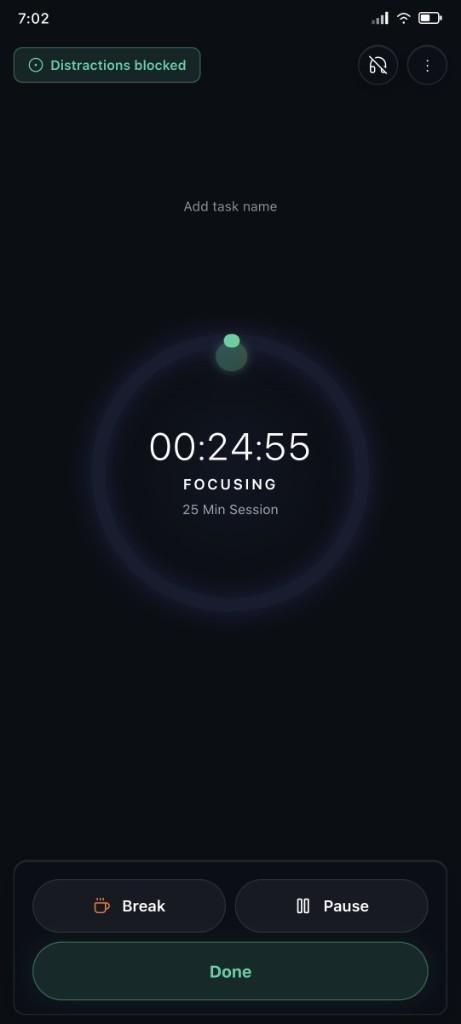
One assignment at a time. Studybo's Pomodoro timer breaks homework into 25-minute sprints — finish one section, take a break, mark progress.
Start with the assignment due soonest. Each completed sprint feeds your progress tracker and study streaks.
New to the method? Read our complete Pomodoro guide for students, then put it into practice with Studybo's focus timer.
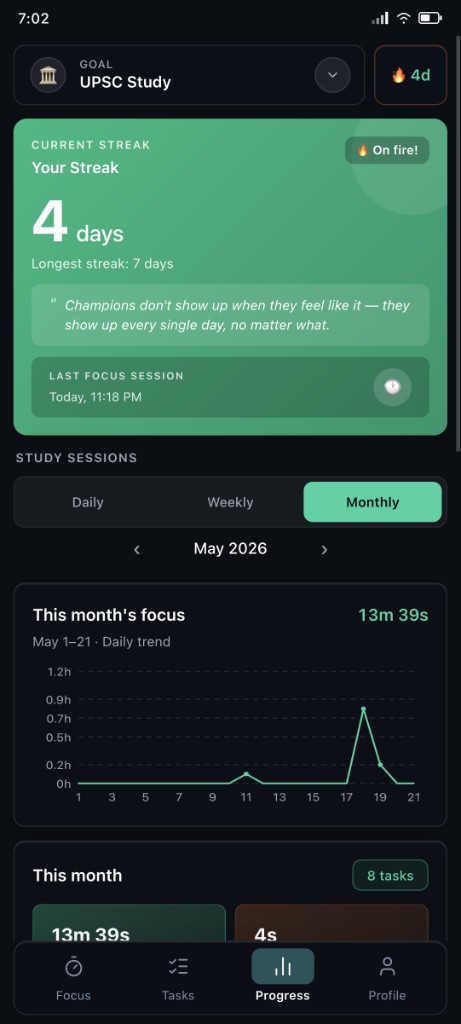
Finishing homework daily builds study streaks — a visual record that you submitted every assignment on time this week.
Streaks turn homework from a chore into a habit. A seven-day streak means a week without missed submissions — and Studybo's Done board proves it.
The result: completing tasks becomes automatic, not a nightly scramble.
Kaizen for homework means one assignment finished today beats a perfect plan you never start. Small daily completions compound into stress-free submission weeks.
Finish one Math problem set. Mark it done. Move to Science. Those small wins add up — and Studybo tracks every completed assignment on your task boards.
Completing tasks daily is how top students stay ahead without burning out. Start small, stay consistent, and let the streaks do the rest.
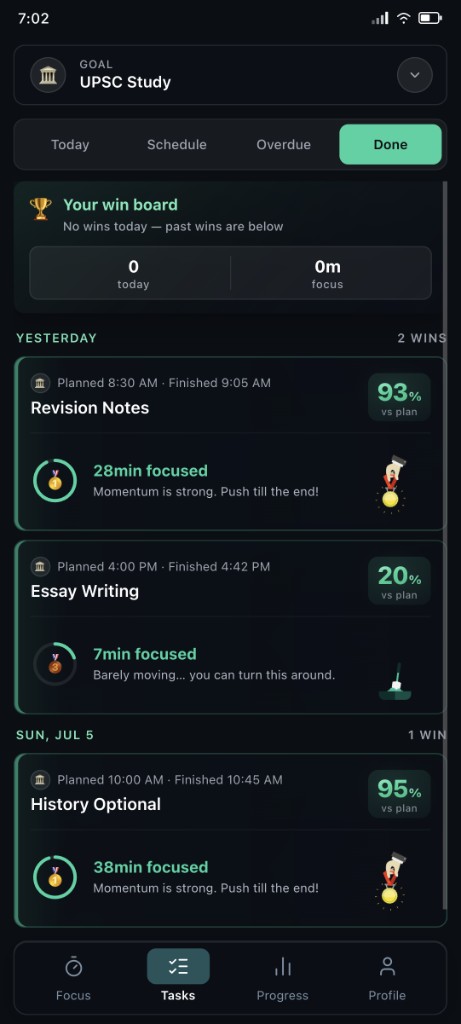
Every Homework goal flows through four task boards — so due dates never get lost.
Open Today, pick the most urgent assignment, start a Pomodoro sprint, and mark it done when submitted. That is the loop for completing tasks and hitting study goals every day.
Three steps from setup to finishing today's assignments.
Create a Homework goal
Add assignments, projects, and submission deadlines by subject
Build your weekly schedule
Set homework blocks and session lengths for each day
Focus and finish tasks
Pomodoro timer, boards, and streaks keep you on track
Common questions about using Studybo as your homework planner.
Yes. Create a Homework goal and add assignments from Math, Science, English, and every other subject. Each task has a due date, estimated time, and its own place on your task boards.
Missed assignments move to the Overdue board so you see exactly what to catch up on. Smart reminders help you finish before the next deadline piles on.
Yes. Break a long essay or project into 25-minute Pomodoro sprints. Finish one section per sprint, take breaks, and mark the task done when fully submitted.
Studybo is built for students. Reminders and visible due dates on Today and Overdue boards help you stay on track — share your plan with parents by showing them your schedule if you choose.
Free on Android — homework planner, Pomodoro timer, due date tracking, and study streaks in one app.
Homework is one part of your life. Studybo separates goals so assignments stay organized.
CBSE · ICSE · board exams
Manage subjects, classwork, tests, and school deadlines.
JEE · NEET · UPSC coaching
Keep coaching and test-prep separate from school.
Coding · languages · music
Track self-learning outside your syllabus.
You are here
Assignments · projects · submissions
Sports · rest · creative time
Schedule downtime so study stays sustainable.